
Warren
Senior Market Strategist
The big picture: sessions, levels and how professionals think about the trading day.
"Let's think like professionals."
Our engine maps the whole market for you, live, every second, every tick, without you lifting a finger. See a setup? Add a second layer of proof in one click, on the same chart. More clarity, more confidence, every decision.
Trader Edge Suite is not a simple indicator. It is a complete system of data, chart and market analysis, built on facts, not hope or fiction, to help you find your edge.
Monthly or yearly. Cancel anytime.
Most traders spend the morning drawing boxes, updating levels and flipping between charts. By the time they are ready, the move is gone. TES does that work for you, live, on every timeframe you choose. And when you want confirmation, one click adds it to the chart you are already on. That is the edge.
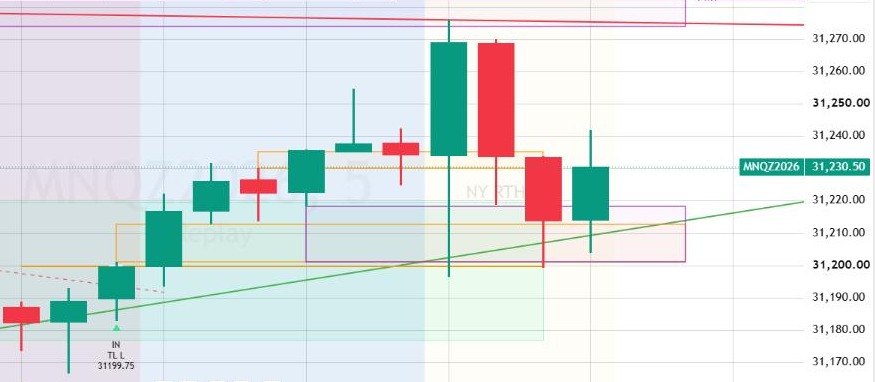
A 5 minute fair value gap prints on your chart. Interesting, but is it enough?
Add the 15 minute gaps in one click. In a fraction of a second, they appear on the same chart, right on top of your 5 minute gaps.
Same zone on both timeframes? That's confluence. Nothing there? That's information too. Either way, you never left your chart.
Our engine maps the market for you every second, every tick. No boxes to draw, no levels to update, ever. The map is ready before you are.
Higher timeframe gaps, liquidity, structure: add any layer to the same chart in a fraction of a second. No new tab, no new chart.
13 modules read the market together. When they line up, you see it instantly, while others are still drawing.
Know exactly which level you are waiting for. No more chasing candles, no more guessing.
Live marks and alerts keep watching the chart while you breathe, eat or blink.
It feels unfair. It isn't. It is every layer a professional reads, drawn by an engine that never gets tired, never forgets a level and never repaints.
Every trader knows the moment. Price pushes into an important level, the chart is full of lines from six different tools, and by the time you decide, the move is gone. It is rarely a lack of effort or talent. It is a lack of clarity.
We built Trader Edge Suite because we needed it. Year after year we watched talented traders lose their best ideas to crowded charts and late reads. So we brought every layer a professional reads into one system, gave each one the same visual language, and made all of them work as a team.
TES is not a bot. It reads the market with you, so the real opportunities don't slip past you. You stay the master of every trade.
Built by traders, for traders.
Trader Edge Suite was designed by its founder, Coach E, around the way a futures day trader actually reads a chart: context first, then levels, then the moment to act. Coach E has been trading for more than 40 years. His desire and curiosity to keep learning, his perseverance, his ability to see clearly through the jungle of the different markets, his patience and his discipline made him the trader he is today.
Bad tools make bad strategies. So every module was built and checked on its own first: structure, liquidity, gaps, time, levels. Only then were the presets built on top of them. Each module works on its own, and all of them work together.
A tool you cannot trust on history is a tool you cannot trust live. All calculations use confirmed data. Higher timeframe values are requested without lookahead, and structure, gaps and sweeps are confirmed by candle closes, so history shows what was visible in real time.
Many futures traders work under strict account rules, where one loss limit can end an evaluation or a funded account. TES was shaped by that reality. It helps you be selective and read the full context before you act. It never places orders: you decide every trade, its size, its stop and its target.
No win rates, no profit screenshots, no invented testimonials. We show you what the system does and where its limits are, and you judge it on your own chart.
Every layer a professional reads, in one visual language, on the chart you trade.
Structure, liquidity, imbalance, trend, volume, time and sessions, all drawn together.
Higher timeframe context prints directly on the chart you trade. No more flipping from chart to chart.
Every fair value gap, every liquidity sweep, every shift in structure, printed the moment it is confirmed. No repaint: what you see on your history is what you would have seen live.
Every mark comes from real market facts. Nothing is random.
Every module and preset was studied on nearly twelve years of futures data, then checked live, setting by setting, before it reaches you.
TES is not a collection of public indicators placed side by side. Every module was written from scratch to speak the same language, so what one layer shows, the others agree with.
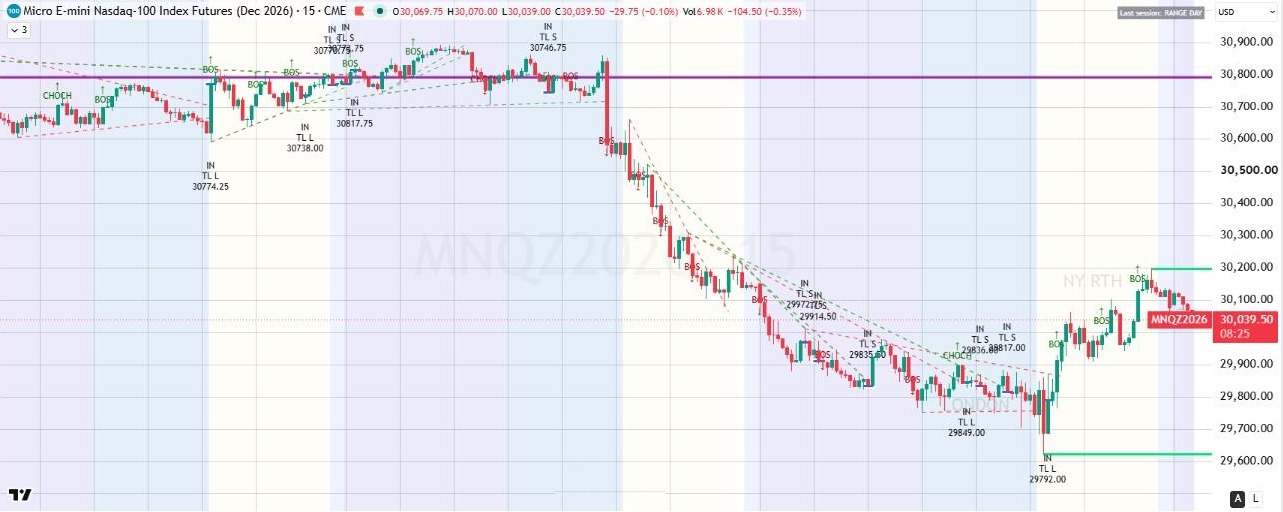
Each one works on its own, and all of them work together. Included in both Core and Pro.
Know at a glance which market is in control right now.
The first levels every desk watches, drawn for you.
The levels the market remembers: day, week and month.
Where every session left its marks, and where today's is building.
Where the stops are waiting, before price gets there.
See the moment the stops were taken.
Who is really in control, confirmed, never guessed.
Where price left unfinished business, on up to five timeframes at once.
Buying at a discount, or chasing at a premium? Know before you act.
Higher timeframe setups, on the chart you trade.
When correlated markets disagree, you see it first.
The lines the market actually respects, drawn automatically.
Trend day or range day? Know early, adapt your plan.
TES is built for different traders, markets and sessions, not one personal setup. Choose which modules you see, the timeframes each module reads, and every color, line style, thickness and label size.
Each setting is numbered in the panel (for example 21.3 is module 21, setting 3), and every color, style, size and timeframe can be customized. The script works on any futures market (NQ and MNQ, ES and MES, gold, crude oil and others) and on intraday timeframes from one minute.
that mark the moment you could initiate a trade (IN) and alert you. Each preset waits for a complete setup built from the modules above, marks the IN at the exact price and alerts you. And because every module is one click away on the same chart, you can add confluence to any IN in a fraction of a second. A preset never places orders. The trader decides whether to take the trade and how to manage it.
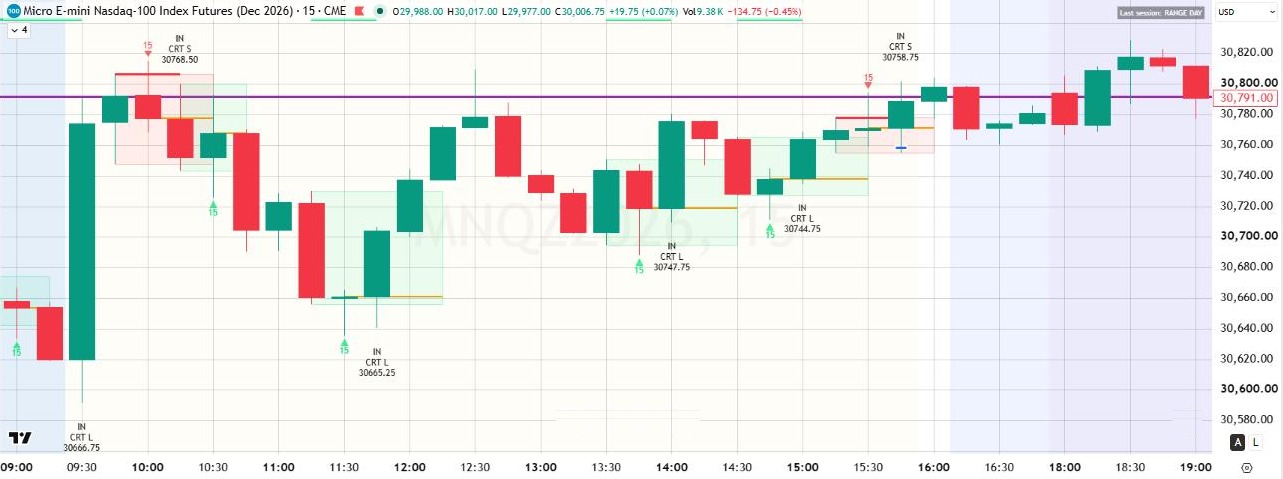
Spots a complete higher timeframe CRT setup and marks the IN live, at the exact price, with your alert. Prefer a confirmed close? One click.
Apex can mark an IN intrabar, at the moment its level is traded; this is stated in its settings.
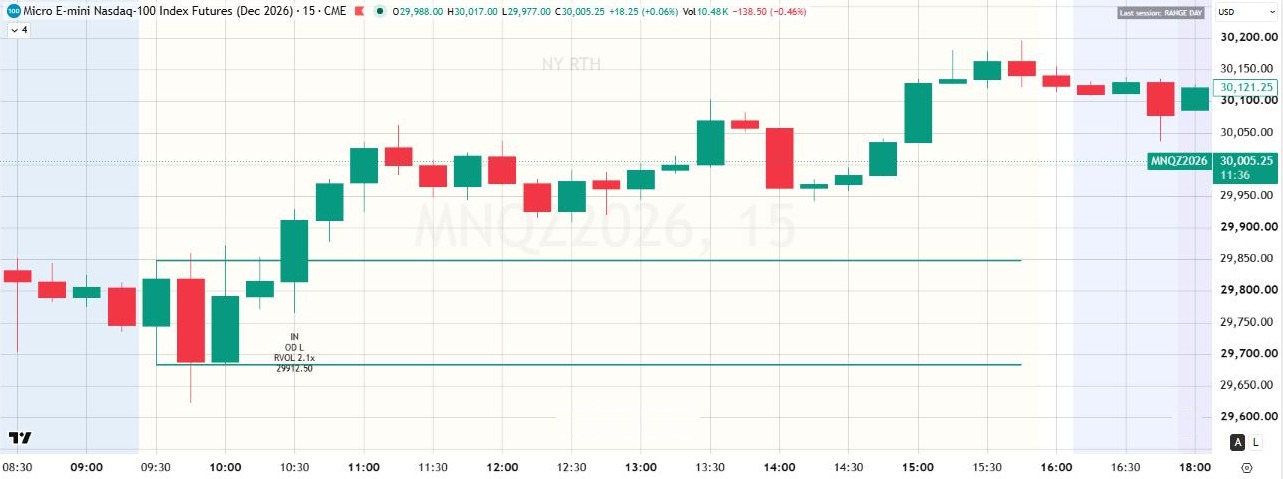
Catches the session's first real move, only when there is real participation behind it. Breakout or retest: your choice.
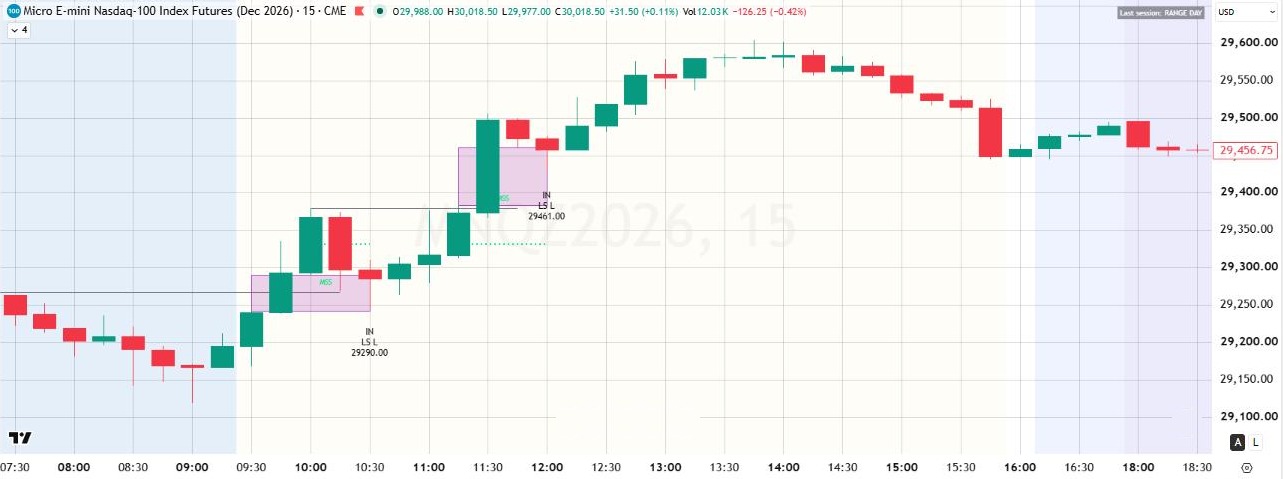
Waits for the stop hunt to finish, then marks where the real move can start, at a precise price.
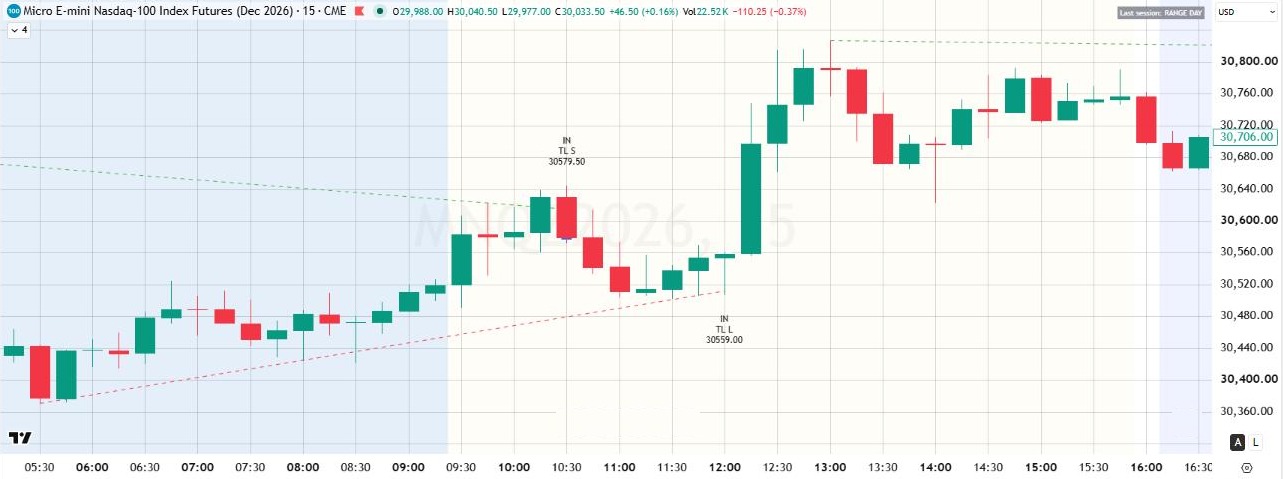
Turns the lines the market respects into precise retest INs. Every line behind every IN is drawn.
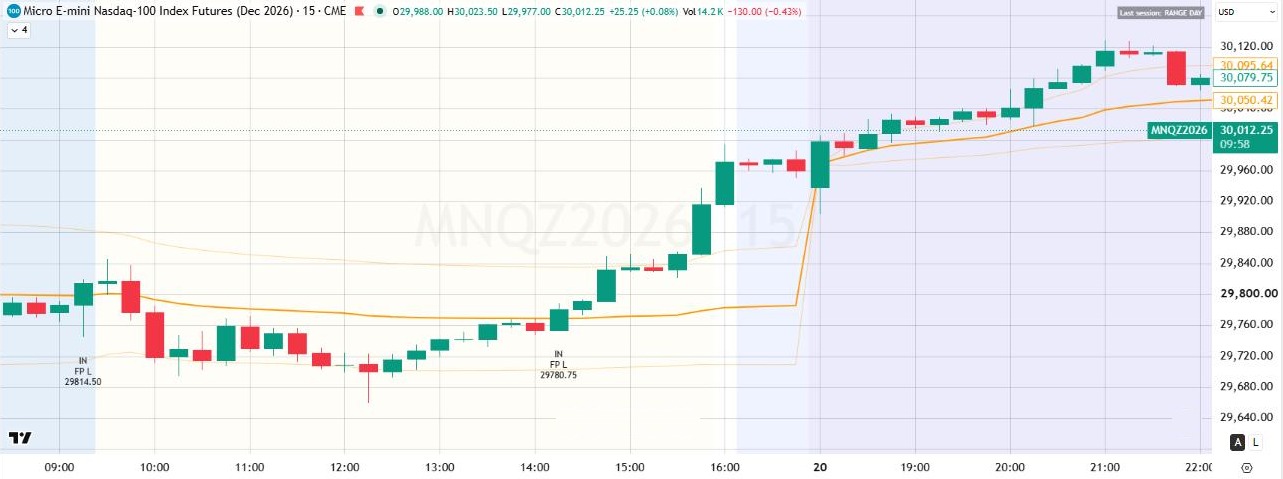
Built for range days: marks the IN when price returns to fair value. Ready with no settings.
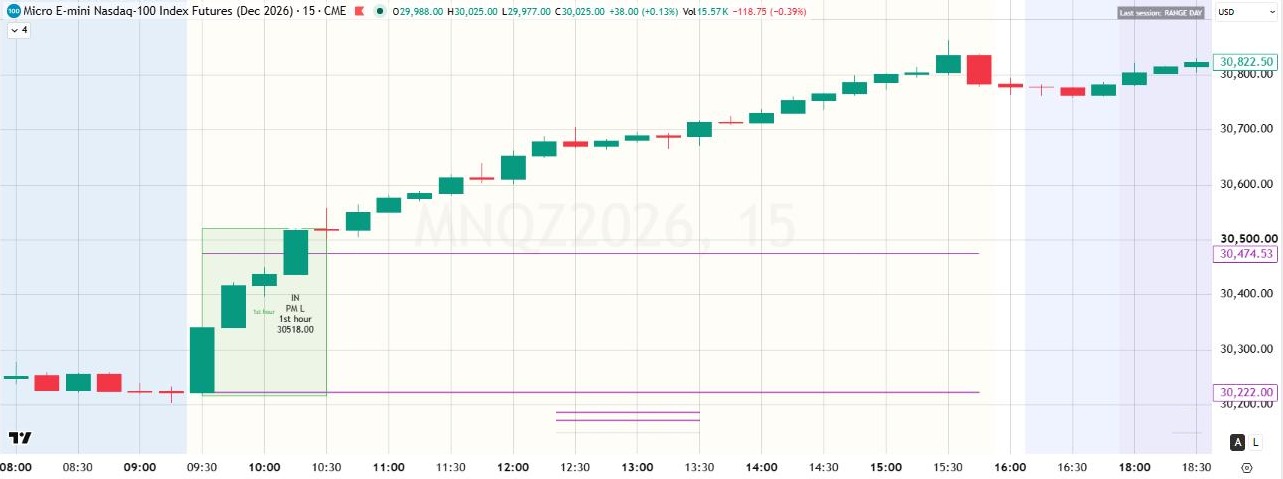
Built for trend days: joins the move when momentum is real, and stays patient when it isn't.
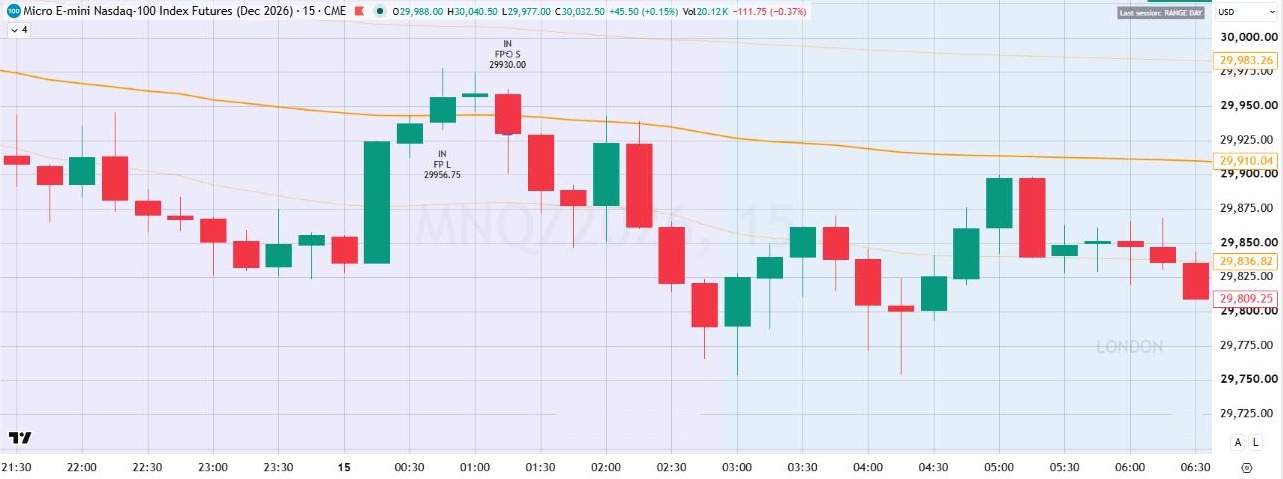
When a setup fails fast, the trap is often the move. Trap Reversal shows you the other side.
TES is not a bot. It reads the market with you, and you stay the master of every trade.
IN marks and alerts are an invitation to look, never an instruction to act. Check every one against your own plan.
Get ProBoth packages give you the same engine, the same 13 modules and the same complete read of the market.
| Core Package | Pro Package Recommended | |
|---|---|---|
| All 13 modules, from Sessions to Day type | ✓ | ✓ |
| Several timeframes on one chart | ✓ | ✓ |
| Full visual customization | ✓ | ✓ |
| History shown, 48 hours to one month | ✓ | ✓ |
| On chart notes | ✓ | ✓ |
| CRT setup ready alerts | 15 minute CRT | Every Apex timeframe |
| 7 execution presets (Apex, Opening Drive, Liquidity Sweep, Trendline Retest, Fair Price Reclaim, Power Momentum, Trap Reversal) | – | ✓ |
| IN marks: the moment you could initiate a trade | – | ✓ |
| IN alerts: one alert for every IN of every preset | – | ✓ |
| Fully customizable IN marks (shape, color, size, price) | – | ✓ |
if you would like an IN suggestion, for confidence, for confirmation or to learn the best moment to get into a trade. It is the package we recommend to most traders, and the best choice if you are still building your experience.
Get ProOur consultants explain the system in short videos: the big picture, the data, the trader behind the trade, and execution.
The big picture: sessions, levels and how professionals think about the trading day.
"Let's think like professionals."
Structure and evidence: liquidity, market structure, SMT and trend lines.
"Let's see what the data tells us."
Psychology, discipline and risk: patience with a plan.
"Let's train the trader behind the trade."

Tutorials: modules, presets, entries and exits, step by step.
"Let's execute!"
Our consultants are AI characters created by Trader Edge Suite.
Founding members keep their price for as long as their subscription stays active.
The full read of the market on one chart: 13 professional modules, every timeframe on your favorite chart.
billed $990 per year
After the founding period: $149/month
After the founding period: $124.17/month
Everything in Core, plus 7 presets that mark the moment you could initiate a trade (IN) and alert you.
billed $1,490 per year
After the founding period: $249/month
After the founding period: $207.50/month
Prices in USD. Monthly or yearly. Cancel anytime. One TradingView account per subscription.
[TO CONFIRM BY COACH: sales taxes (GST/QST or other) shown at checkout?]
Core or Pro, monthly or yearly.
At checkout, enter your exact TradingView username (not your email).
Access is granted to that username, usually within 24 hours. Trader Edge Suite is delivered as an invite only script on TradingView.
In TradingView, open Indicators › Invite-only scripts and add Trader Edge Suite.
Switch on the modules you want, follow the quick start in the guide, and your chart is ready in minutes.
To keep drawings above the candles: click the three dots next to the script name, then Visual order, then Bring to front.
A system you can trust should tell you its limits up front.

One system. Every layer. Every timeframe on your favorite chart. Founding member prices stay locked for as long as your subscription stays active.
Built by traders, for traders.
PAY FOR 10 MONTHS, GET 2 MONTHS FREE!
Founding price locked for as long as your subscription stays active. Prefer monthly? Core $99/mo, Pro $149/mo.
Become a founding member (Pro)Educational tool, not financial advice. Trading involves risk of loss.